Price Bargain

$100

The Price Bargain module allows customers to negotiate product prices directly with the store admin.
This interactive feature improves customer engagement and conversion by enabling flexible pricing and direct communication.

30 Days Free Support

The Price Bargain module allows customers to negotiate product prices directly with the store admin.
This interactive feature improves customer engagement and conversion by enabling flexible pricing and direct communication.

Features

Admin Features

  • Enable/Disable Module: Admin can enable or disable the Price Bargain functionality from the Magento backend.
  • Custom Button Label: Admin can configure the text for the “Make an Offer” button.
  • Custom Request ID Prefix: Admin can set a custom prefix for all bargain request IDs.
  • Offer Management:
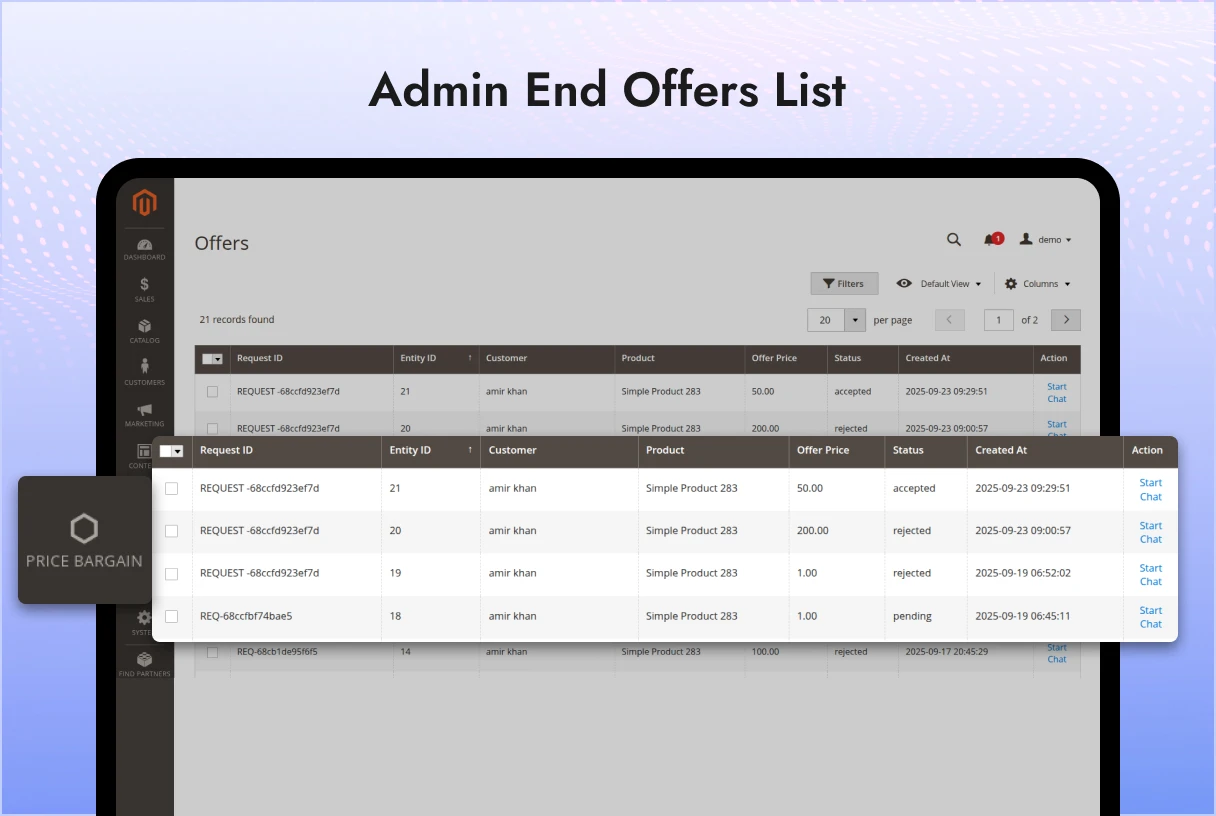
    • Admin can view a list of all customer bargain requests.
    • Each request includes details like product, quantity, and customer message.
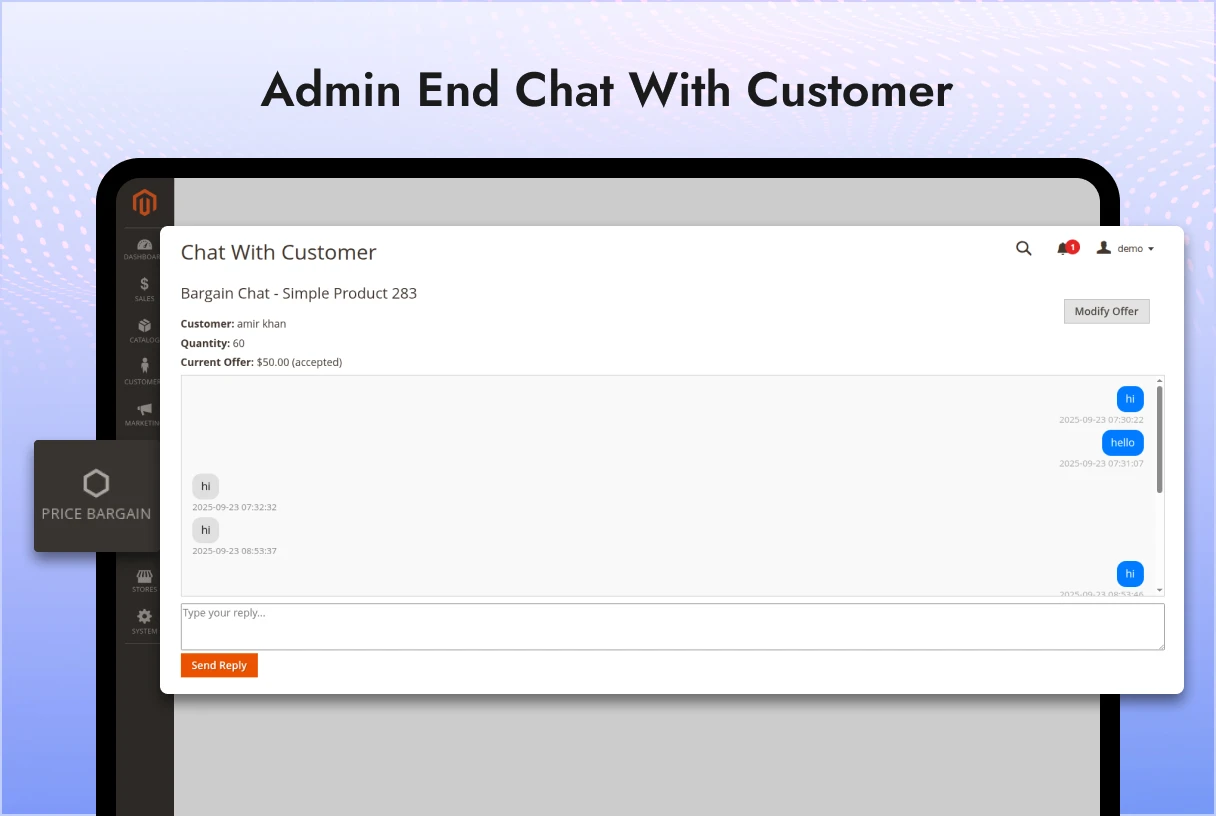
    • Admin can chat with customers to discuss the price and terms.
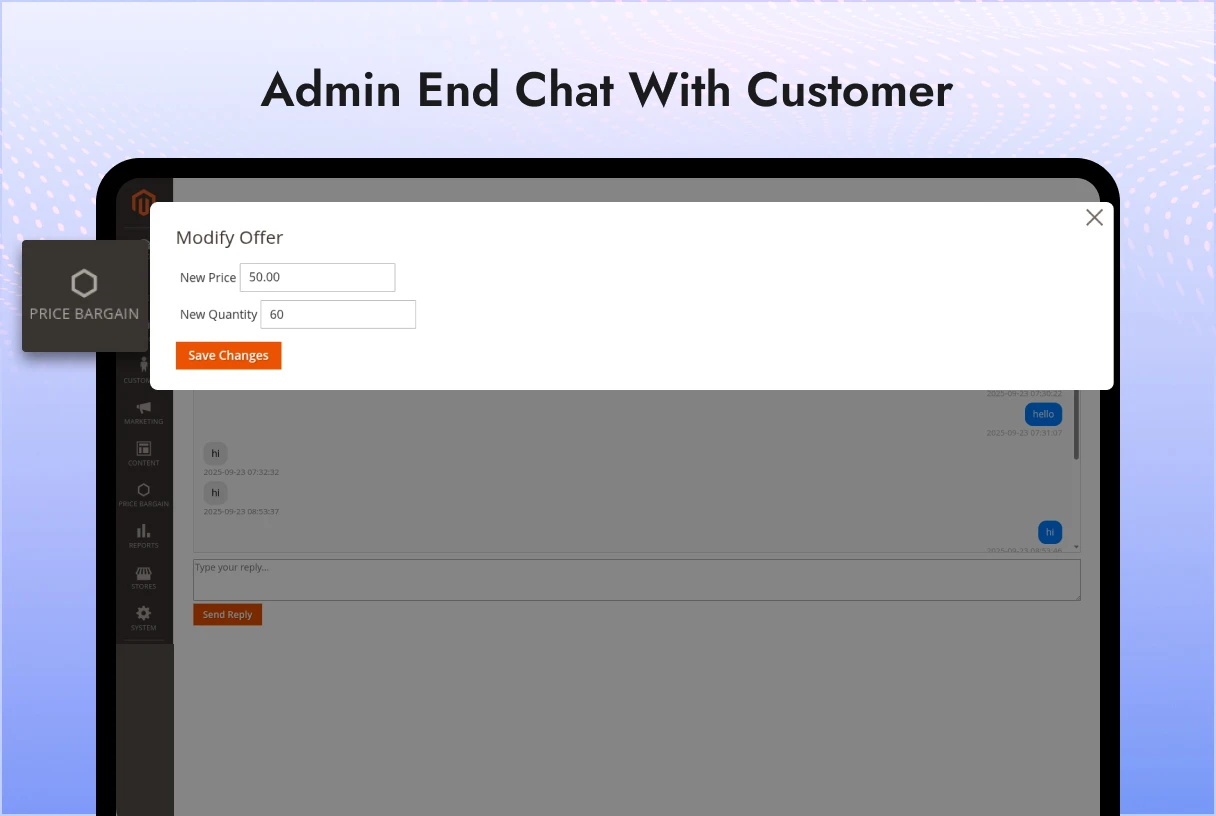
    • After discussion, the admin can modify offers with updated price and quantity.

 Customer Features

  • Login Required: Customers must log in to request a bargain.
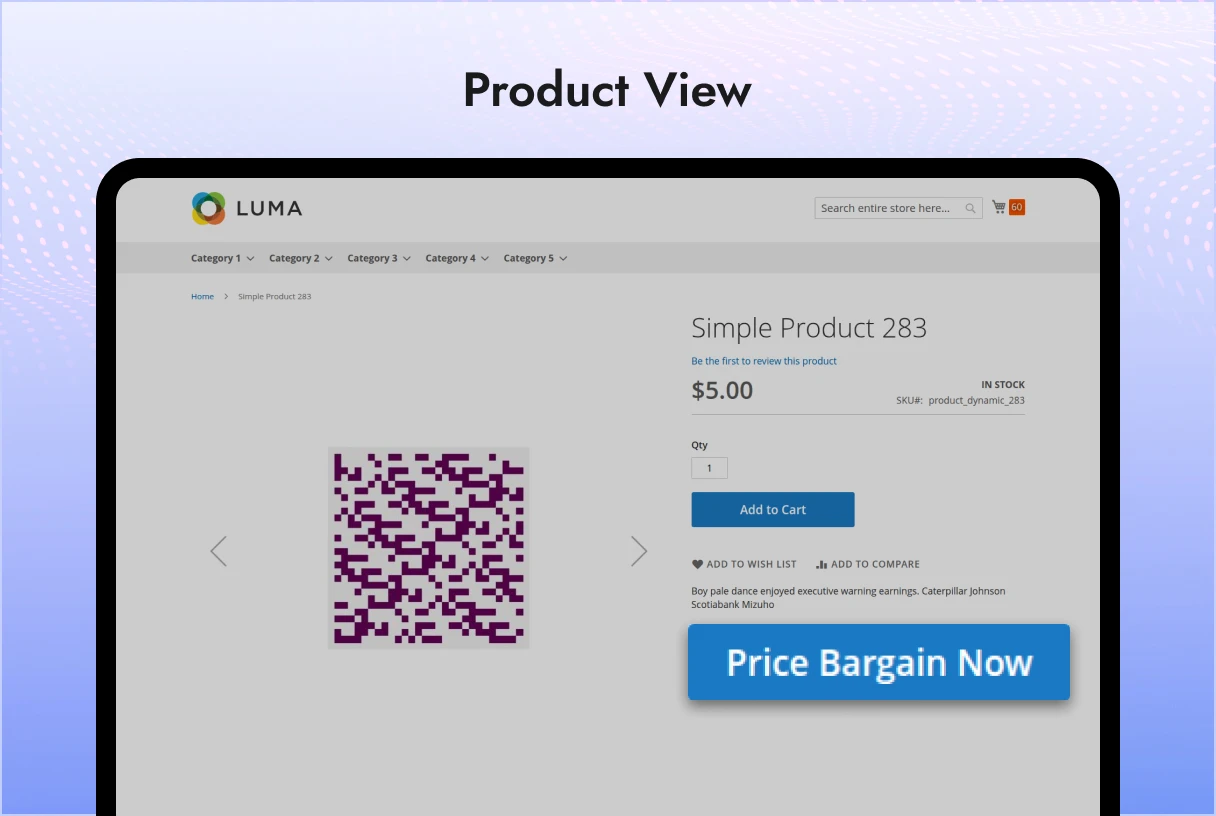
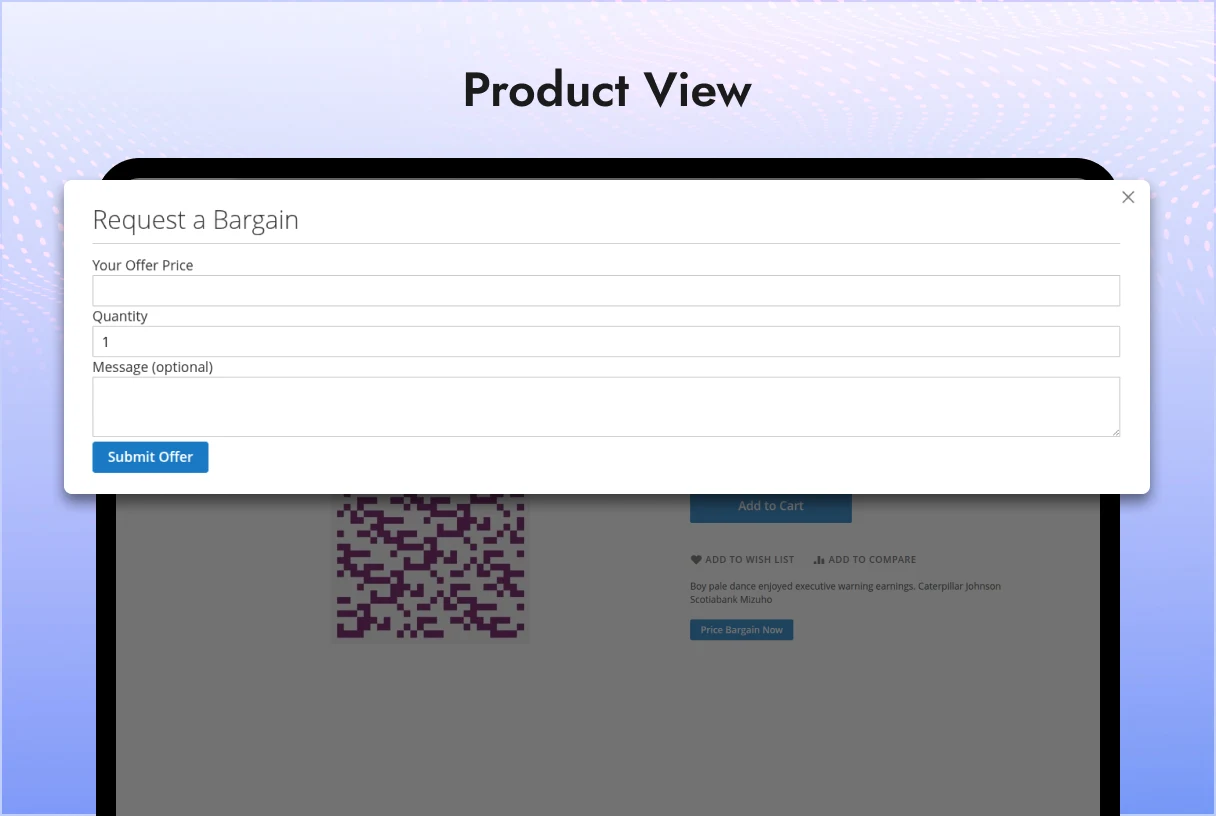
  • Bargain from Product Page: Customers can request a bargain directly from the product view page.
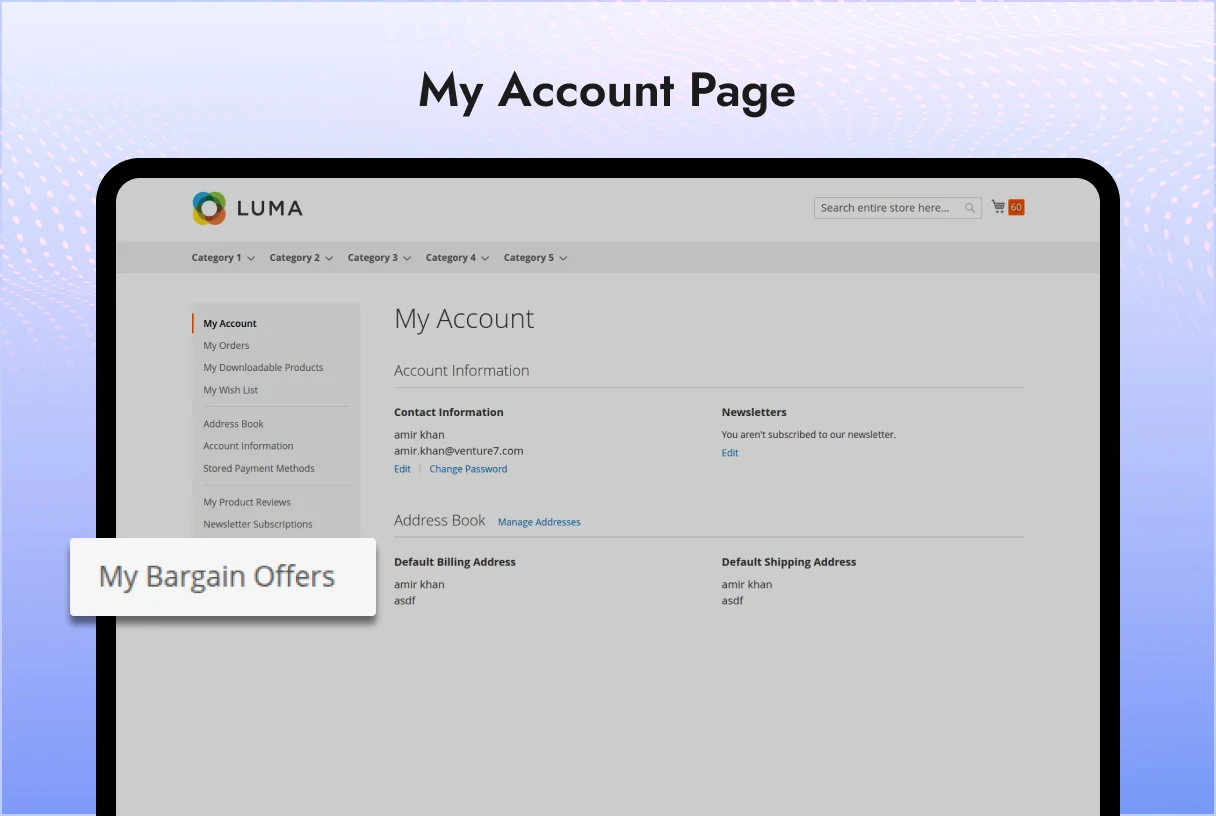
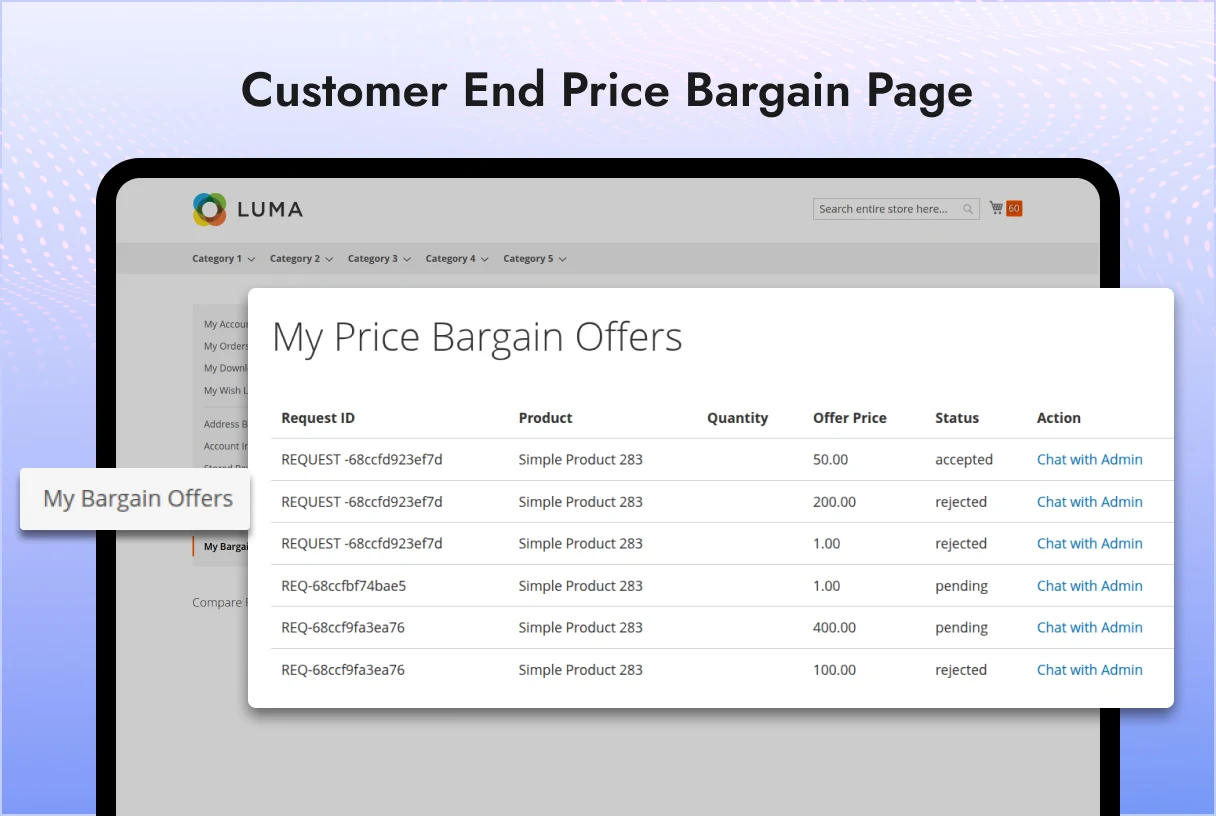
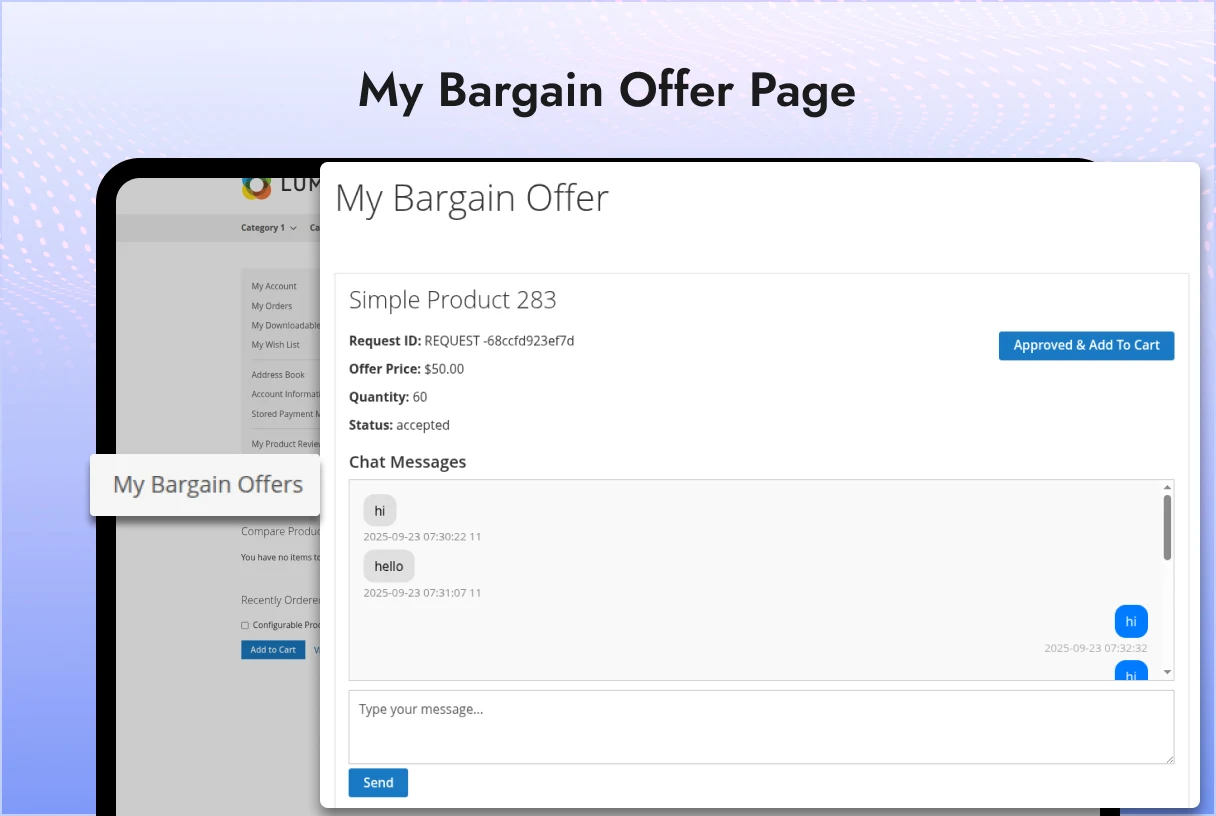
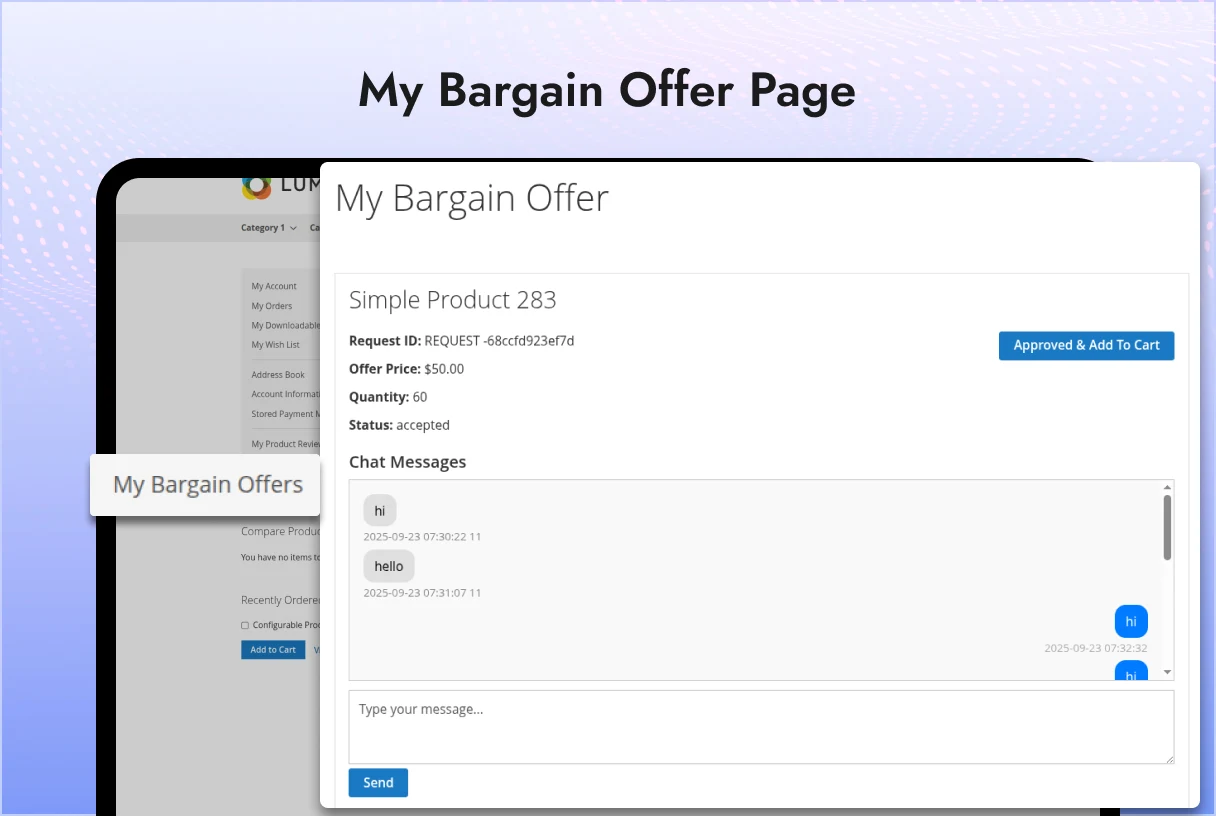
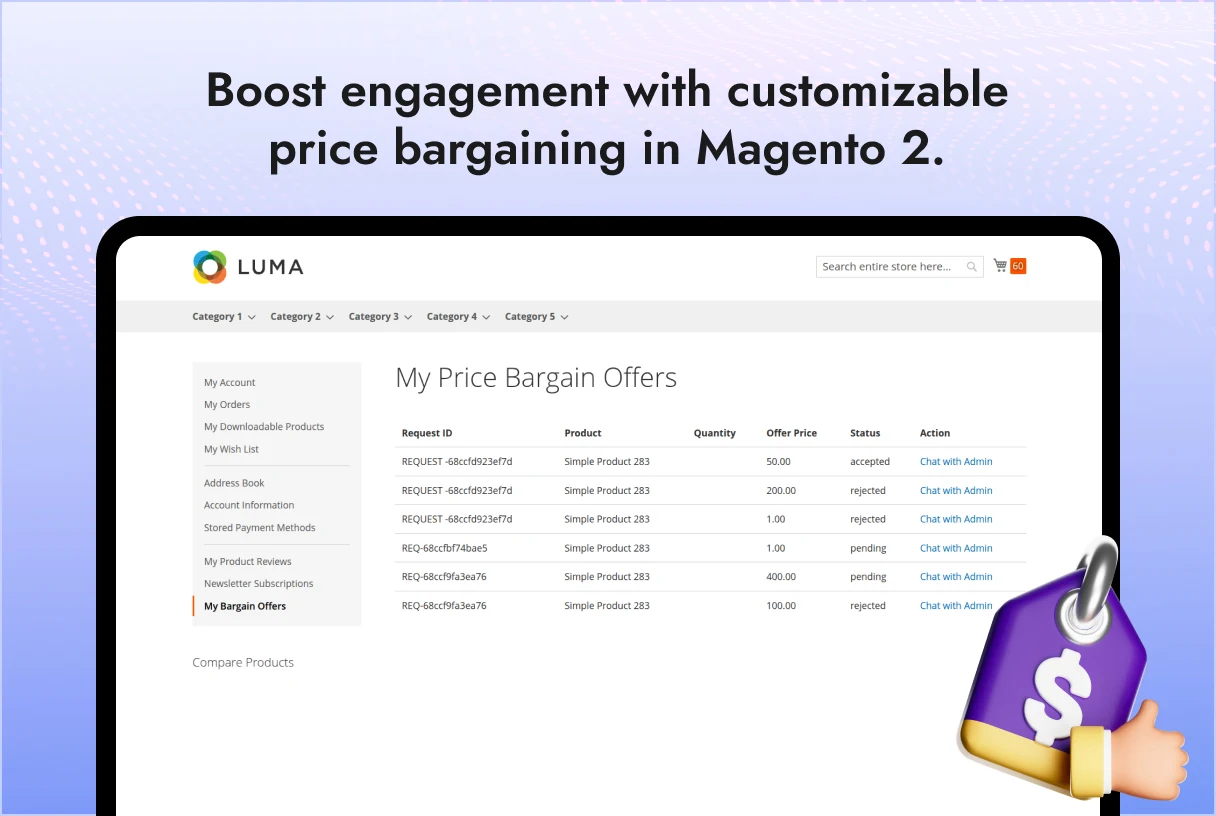
  • My Offers: Customers can view the list of their submitted bargain requests.
  • Chat with Admin: Customers can chat with the admin to negotiate and finalize pricing.
  • Approve & Add to Cart:
    • Once an agreement is reached, the customer can approve the final offer.
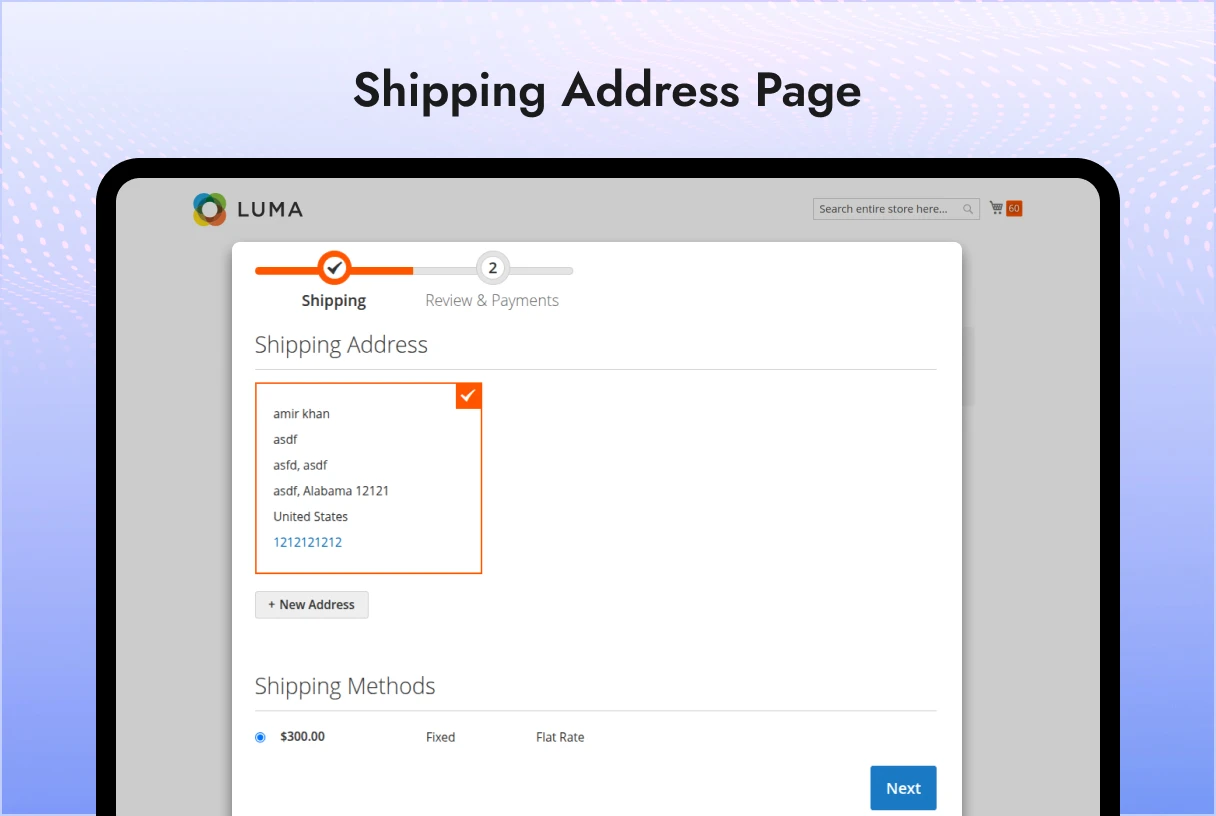
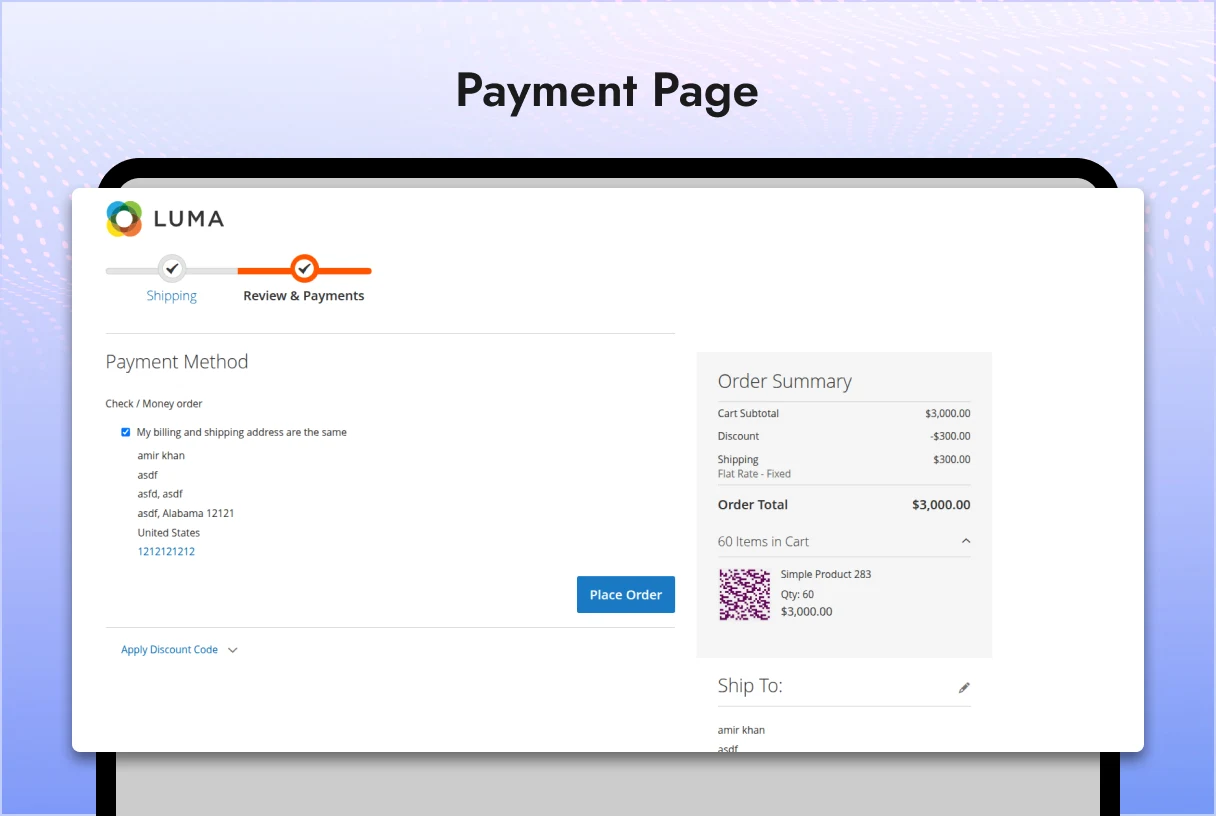
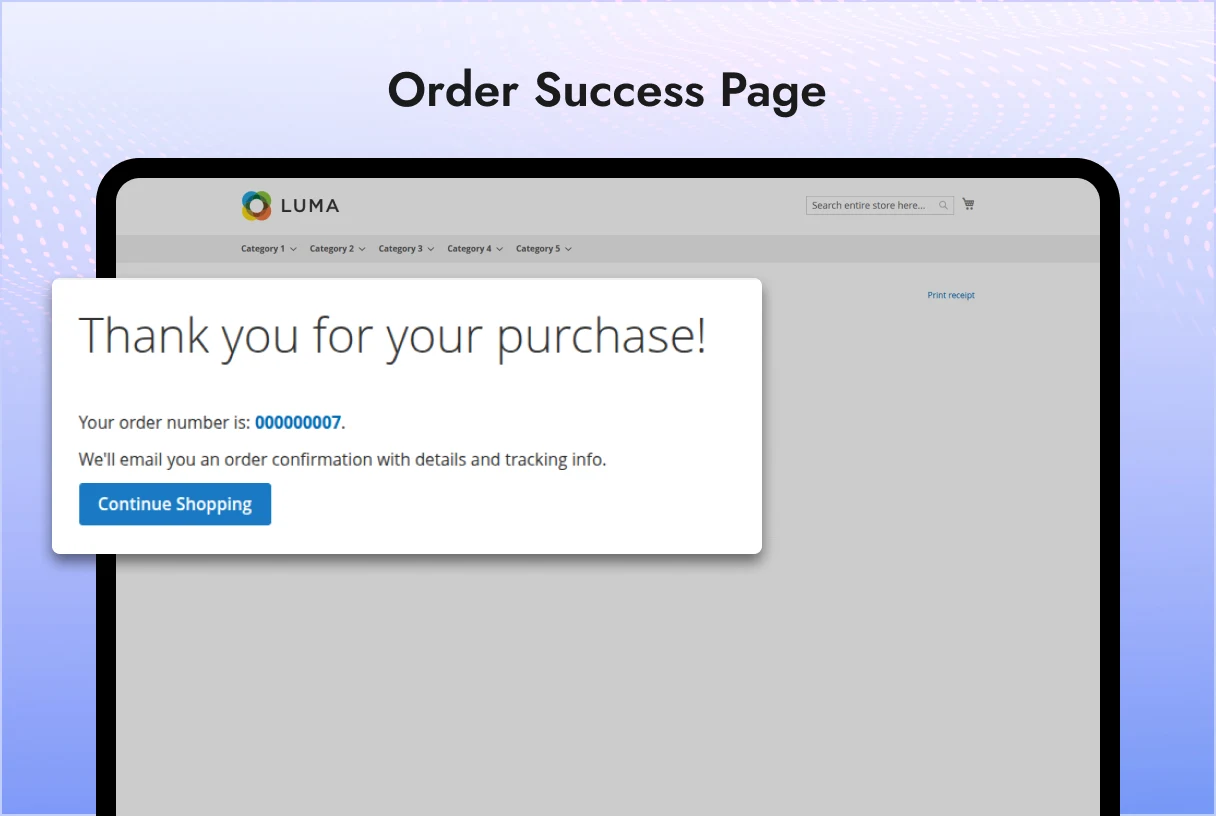
    • The agreed product with specified price and quantity can then be added directly to the cart.

Workflow

  1. Customer Request

    • Customer logs in and submits a bargain request from the product view page.
    • A unique Request ID is generated (with the configured prefix).
  2. Admin Review

    • Admin sees the request in the backend.
    • Admin can chat with the customer to discuss price/quantity.
  3. Offer Update

    • Admin modifies the offer with finalized price and quantity.
    • Customer is notified of the updated offer.
  4. Customer Approval

    • Customer reviews the updated offer in their request list.
    • Once approved, the product is added to the cart at the negotiated price.

Configuration

Navigate to:
Stores > Configuration > Price Bargain

  • Enable Module → Yes/No
  • Button Label → Custom text for “Make an Offer” button
  • Request ID Prefix → Prefix for unique request IDs

Installation

  1. Copy the module to app/code/PluginPartner/PriceBargain
  2. Run the following commands:
bin/magento module:enable PluginPartner_PriceBargain
bin/magento setup:upgrade
bin/magento setup:di:compile
bin/magento cache:flush

Add a review
Price Bargain Price Bargain
Rating*
0/5
* Rating is required
Your review
* Review is required
Name
* Name is required
Add photos or video to your review
4.1
Based on 8 reviews
5 star
13
13%
4 star
87
87%
3 star
0%
2 star
0%
1 star
0%
Anonymous
Anonymous
Verified ownerVerified owner
4/5
10 months ago
Anonymous
Anonymous
Verified ownerVerified owner
5/5
10 months ago
Anonymous
Anonymous
Verified ownerVerified owner
4/5
10 months ago

Frequently Asked Questions -

Price Bargain

+ Features
– Bugs

——————————– Version 1.0.0 ————————————–
+ Added Price Bargain module with admin enable/disable configuration.
+ Introduced option for admin to set custom button label and request ID prefix.
+ Enabled customers to submit bargain requests from the product view page after login.
+ Implemented chat functionality for admin and customer to negotiate product prices.
+ Added option for customers to approve final offer and add the product with negotiated price and quantity to cart.

Recommended For You

We analyze your business, customer journeys, and competitors to define a clear roadmap. Using AI insights, we recommend premium Magento 2 extensions and pricing packages that drive ROI and long-term success.

Fair Price Tracker Extension for Magento 2 helps customers make smarter buying...
PluginPartner® Magento 2 Product Filter Extension enhances the Magento 2 Admin Product...
The Magento 2 Admin Logo Extension by PluginPartner allows you to replace...

$100

Our TechScribe

We analyze your business, customer journeys, and competitors to define a clear roadmap. Using AI insights, we recommend premium Magento 2 extensions and pricing packages that drive ROI and long-term success.

From idea to implementation

Unlock Smarter E-Commerce

Magento continues to evolve with each release, bringing enhanced performance, stronger security, and improved features for merchants and developers. The release of Magento 2.4.8 introduces critical security patches, platform enhancements,...
Newsletter popups are the most effective way of generating leads on Magento 2. This guide...

Slow-loading product images are bad for SEO, UX, and conversion. Discover tried and tested solutions...