Delete Orders Extension

$20

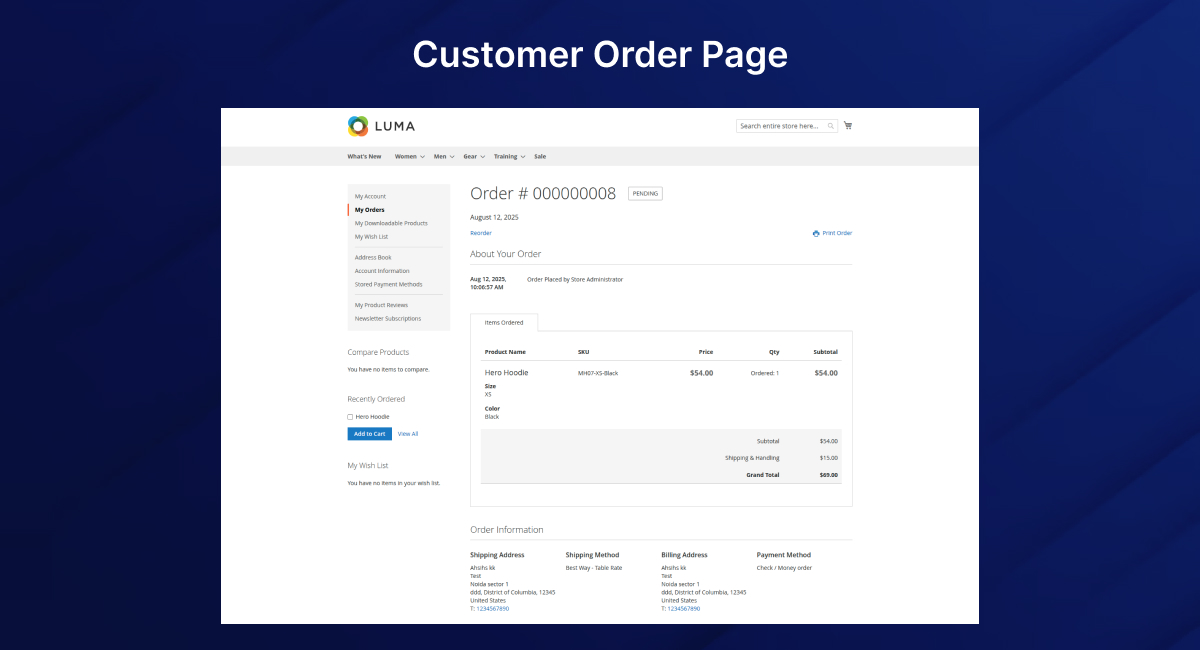
The Magento 2 Delete Orders Extension by PluginPartner® allows administrators to safely and efficiently delete unwanted or test orders directly from the Magento 2 admin panel. With this delete orders Magento 2 module, store owners gain full control over order management by removing unnecessary records in just a few clicks.

It supports both single-order deletion from the Order View page and bulk deletion via the Sales Orders grid, making it the best Magento 2 Delete Orders Extension for stores that want to keep their admin panel clean and clutter-free.

30 Days Free Support

The Magento 2 Delete Orders Extension by PluginPartner® allows administrators to safely and efficiently delete unwanted or test orders directly from the Magento 2 admin panel. With this delete orders Magento 2 module, store owners gain full control over order management by removing unnecessary records in just a few clicks.

It supports both single-order deletion from the Order View page and bulk deletion via the Sales Orders grid, making it the best Magento 2 Delete Orders Extension for stores that want to keep their admin panel clean and clutter-free.

Features

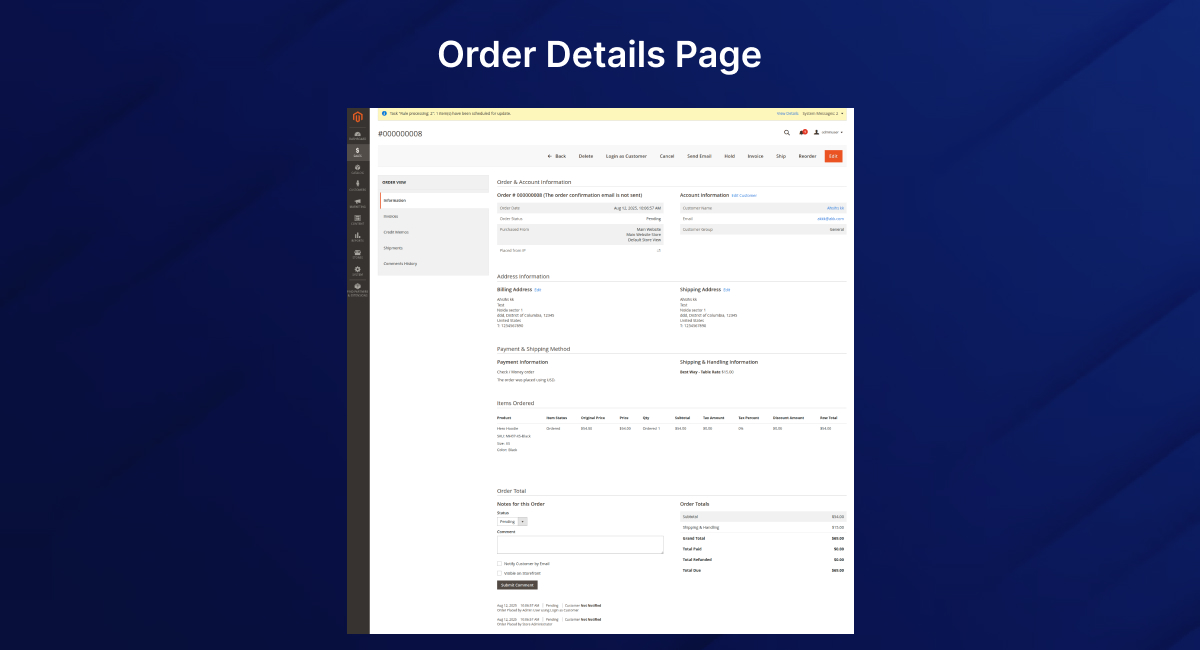
  • Delete from Order View – Adds a “Delete” button on the order detail page.
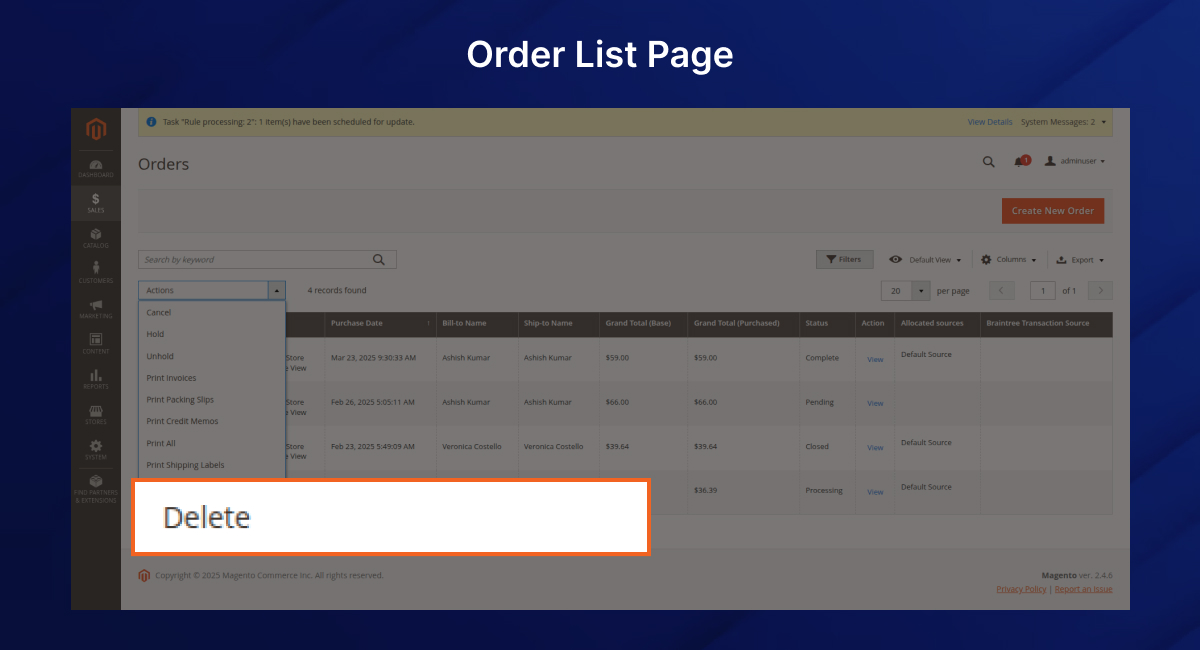
  • Mass Delete Orders – Select and remove multiple orders at once from the Sales Orders grid using this Magento 2 Mass Delete Orders Extension.
  • Automatic Cleanup – Removes invoices, shipments, and credit memo grid entries related to deleted orders.
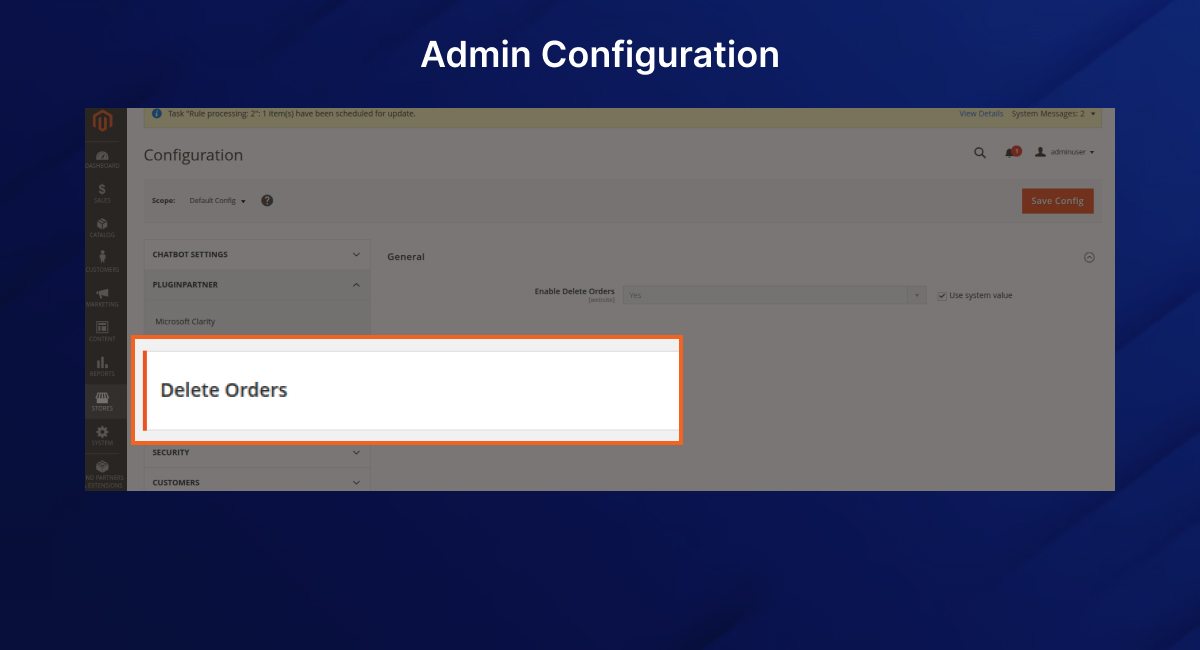
  • Configurable in Admin – Manage settings under PluginPartner → Delete Orders in Stores → Configuration.
  • Secure Permissions – Assign access only to trusted roles with the Magento 2 Admin Delete Order Module.

Installation

  1. Upload the module to:
    app/code/PluginPartner/DeleteOrders
    Enable the module:
    bin/magento module:enable PluginPartner_DeleteOrders
  2. Run setup upgrade:
    bin/magento setup:upgrade
  3. Flush cache:
    bin/magento cache:flush

This quick setup ensures smooth Magento 2 Delete Orders Extension installation.

Configuration

  1. Go to: Stores → Configuration → PluginPartner → Delete Orders → General
  2. Enable Delete Orders option.
  3. Save configuration and flush cache.

You can fully customize how the Magento 2 Remove Orders Extension works in your store.

Permissions

  • Navigate to System → Permissions → User Roles.
  • Select the admin role to allow deletion access.
  • Under PluginPartner, enable Delete Orders.
  • Save and re-login with updated access.

This ensures only trusted admins can safely delete orders in Magento 2 admin panel.

Usage

Single Order Deletion

  • Open the order in admin.
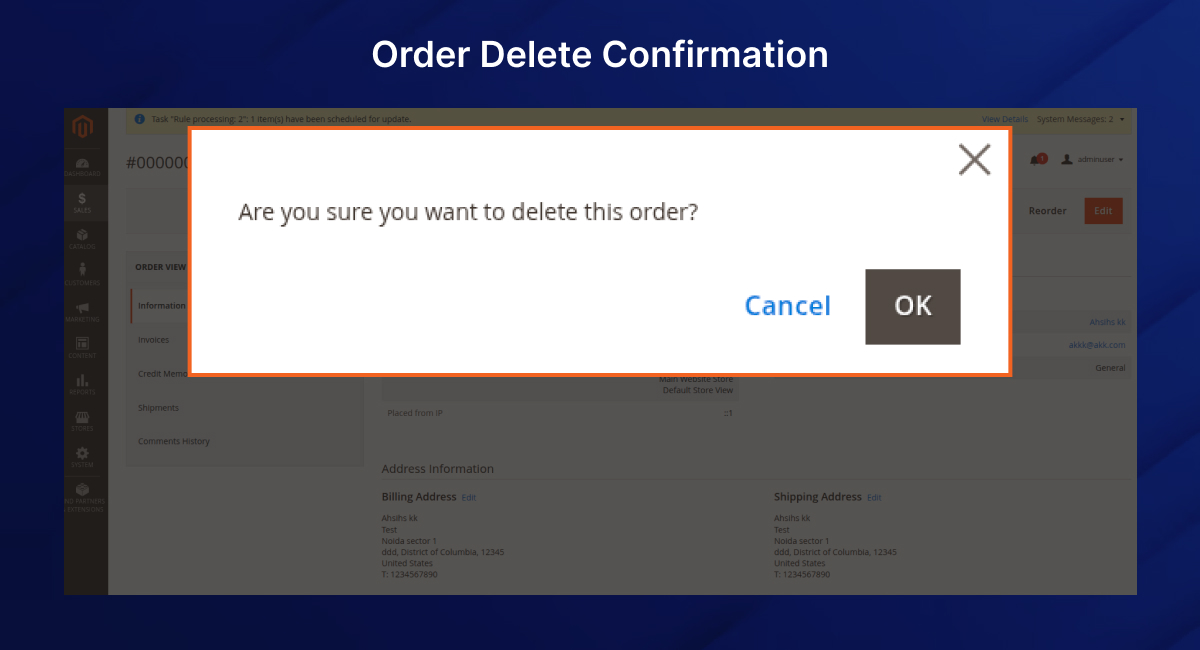
  • Click Delete Order button in the top menu.
  • Confirm deletion.

Mass Order Deletion

  • Go to Sales → Orders.
  • Select one or more orders from the grid.
  • Choose Delete from the Actions dropdown.
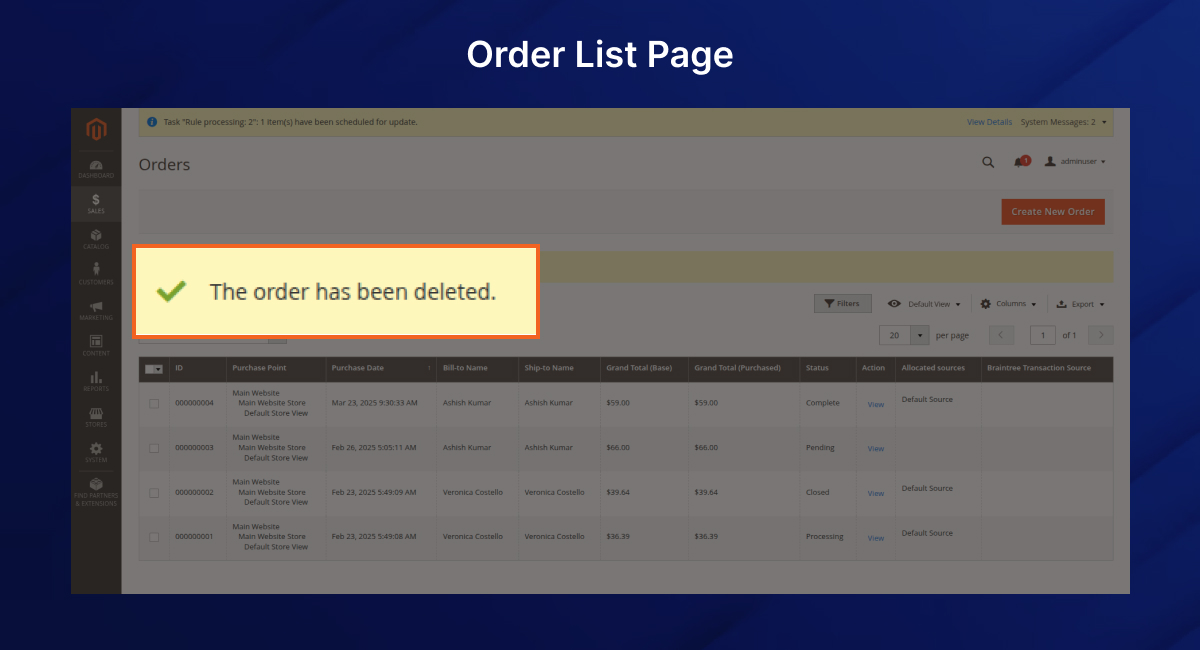
  • Confirm deletion.

With this Magento 2 extension to bulk delete orders, you can manage test or unwanted records easily.

Security Notes

  • Assign delete permissions only to trusted admin roles.
  • Deleted orders and records cannot be recovered.
  • Always take a database backup before performing mass deletions.

Compatibility

  • Works with Magento 2.3.x and 2.4.x
  • Fully integrated into Magento’s order management flow
  • Acts as both a Magento 2 Delete/Archive Orders Extension and a Magento 2 Order Management Extension for better control.

Why Choose PluginPartner® Delete Orders Magento 2 Extension?

  • Easy-to-use Magento 2 Delete Orders plugin with secure role permissions.
  • The most reliable solution to delete test orders in Magento 2.
  • Provides bulk deletion with minimal effort.
  • Keeps your sales grid and admin panel organized.

If you need to remove, archive, or bulk delete orders, this is the premium Magento 2 Delete Orders Extension you can trust.

Support & Licensing

For issues, customizations, or feature requests, contact PluginPartner® Support.

Licensed under PluginPartner® End User License Agreement.

Call to Action

Buy Magento 2 Delete Orders Extension today to keep your admin panel clean and efficient.

Quick Magento 2 Delete Orders Extension download, transparent extension pricing, and professional support are available to help you get started immediately.

Add a review
Delete Orders Extension Delete Orders Extension
Rating*
0/5
* Rating is required
Your review
* Review is required
Name
* Name is required
Add photos or video to your review
4.0
Based on 65 reviews
5 star
32
32%
4 star
34
34%
3 star
34
34%
2 star
0%
1 star
0%
Anonymous
Anonymous
Verified ownerVerified owner
5/5
10 months ago
Anonymous
Anonymous
Verified ownerVerified owner
4/5
10 months ago
Anonymous
Anonymous
Verified ownerVerified owner
4/5
10 months ago

Frequently Asked Questions -

Delete Orders Extension

## [1.0.0] – 2025-08-13
### Added
– Initial release of **PluginPartner Delete Orders** module.
– Standalone version
– Admin configuration under **PluginPartner** tab in system configuration.
– Single order delete action on order view page.
– Mass delete action in Sales Orders grid.
– Automatic cleanup of invoice, shipment, and credit memo grids.
– Config path `delete_orders/general/enabled` for enabling/disabling feature.

### Security
– Ensured delete functionality is restricted to authorized admin roles.
– Added configuration toggle to globally enable or disable delete feature.

Recommended For You

We analyze your business, customer journeys, and competitors to define a clear roadmap. Using AI insights, we recommend premium Magento 2 extensions and pricing packages that drive ROI and long-term success.

Delivery Date ETA Extension allows customers to choose their preferred delivery date...
The AI-powered Magento 2 Auto Invoice Extension by PluginPartner® automatically generates invoices...
PluginPartner® Post Manager module for Magento 2 (also known as...

Our TechScribe

We analyze your business, customer journeys, and competitors to define a clear roadmap. Using AI insights, we recommend premium Magento 2 extensions and pricing packages that drive ROI and long-term success.

From idea to implementation

Unlock Smarter E-Commerce

Magento continues to evolve with each release, bringing enhanced performance, stronger security, and improved features for merchants and developers. The release of Magento 2.4.8 introduces critical security patches, platform enhancements,...
Newsletter popups are the most effective way of generating leads on Magento 2. This guide...

Slow-loading product images are bad for SEO, UX, and conversion. Discover tried and tested solutions...