Low Stock Alert

$200

PluginPartner Low Stock Alert for Adobe Commerce and Magento Open Source helps administrators monitor inventory levels by displaying a low-stock notification immediately after logging into the Admin Panel. The extension provides instant visibility into products that require restocking and includes a dedicated admin grid for ongoing inventory management.

30 Days Free Support

PluginPartner Low Stock Alert for Adobe Commerce and Magento Open Source helps administrators monitor inventory levels by displaying a low-stock notification immediately after logging into the Admin Panel. The extension provides instant visibility into products that require restocking and includes a dedicated admin grid for ongoing inventory management.

Key Features

  • Displays a low-stock popup notification to admin users after login.
  • Identifies products with stock quantities at or below a configurable threshold.
  • Shows product SKU and current quantity directly in the notification popup.
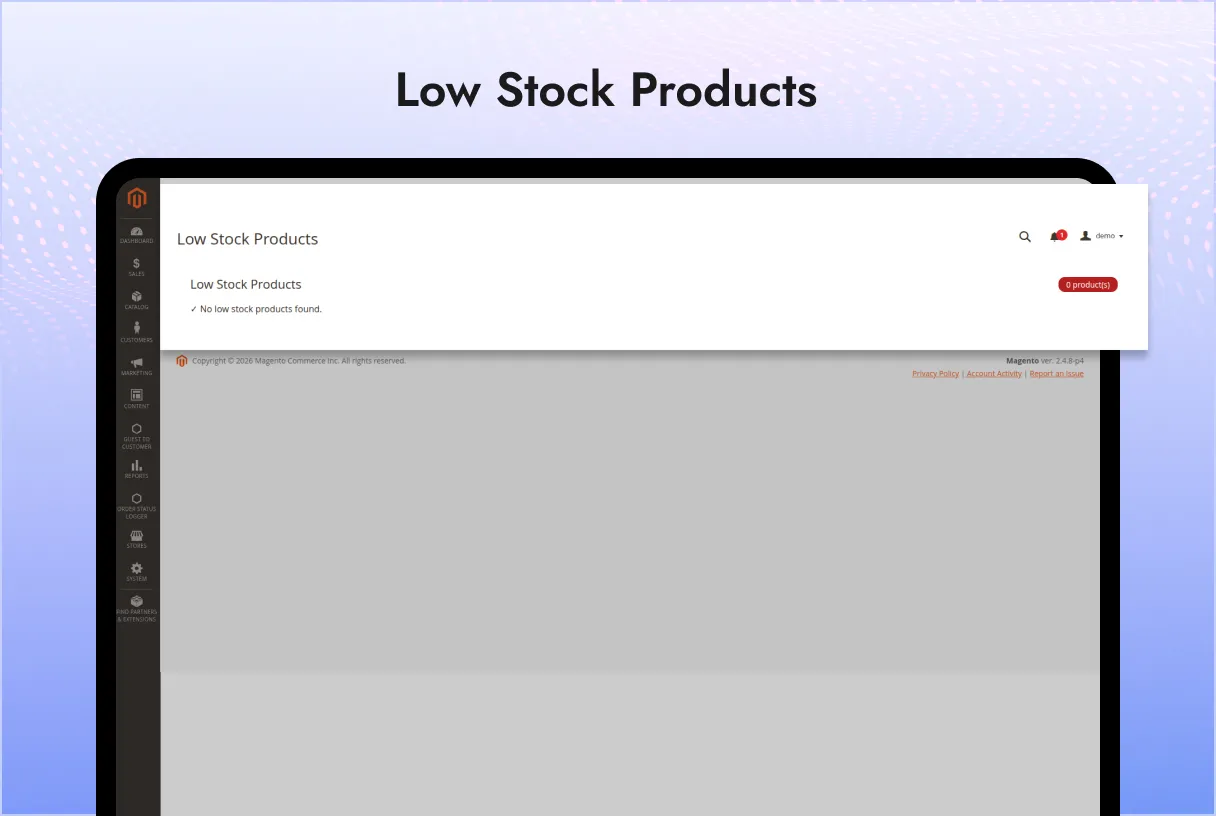
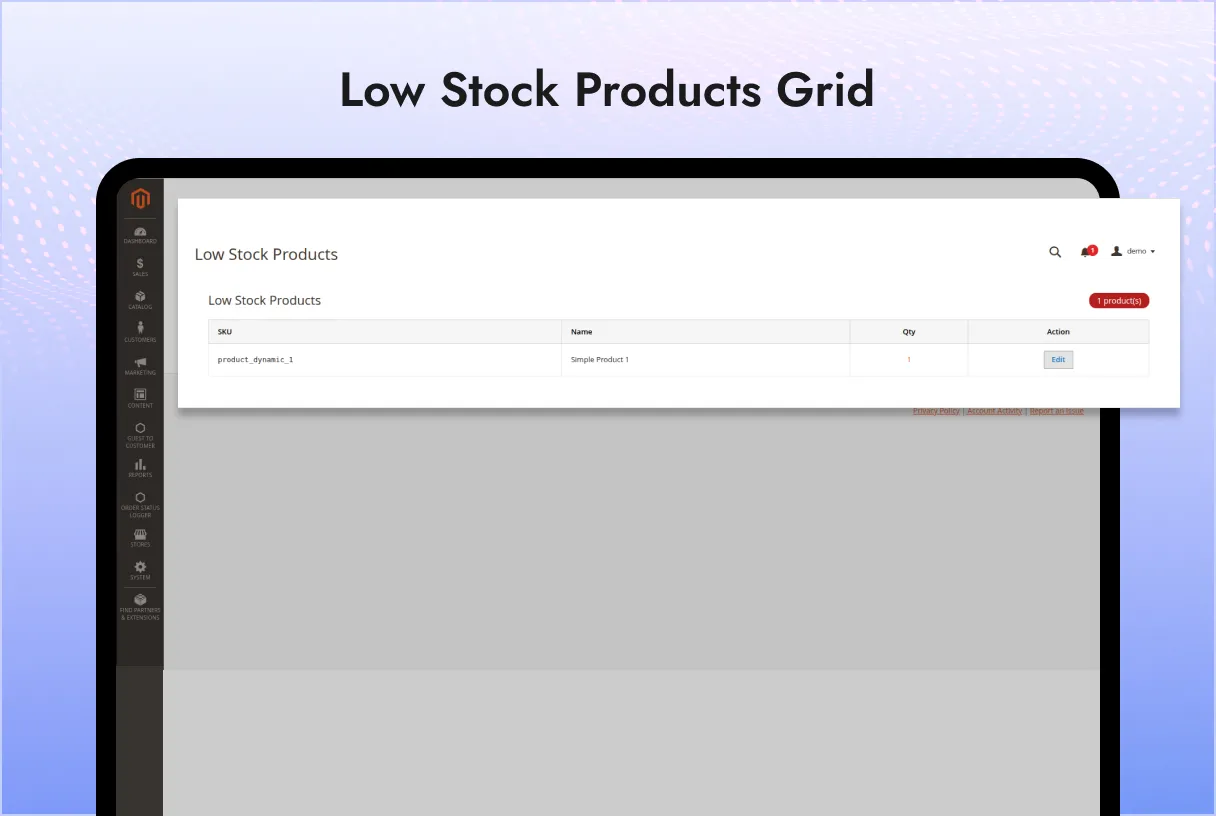
  • Provides a dedicated admin grid to review all low-stock products.
  • Configurable minimum stock threshold.
  • Enable or disable functionality from the Magento Admin configuration.
  • Supports Adobe Commerce and Magento Open Source.

Benefits

Managing inventory proactively helps prevent stockouts and improves operational efficiency. With immediate notifications and a centralized low-stock grid, administrators can quickly identify products that need replenishment without manually checking inventory levels.

How It Works

After installation and configuration, the module automatically checks product inventory levels whenever an administrator logs in.

If one or more products have stock quantities at or below the configured threshold:

  • A popup notification is displayed after login.
  • The popup lists affected products along with their SKU and current stock quantity.
  • Administrators can take immediate action to replenish inventory.

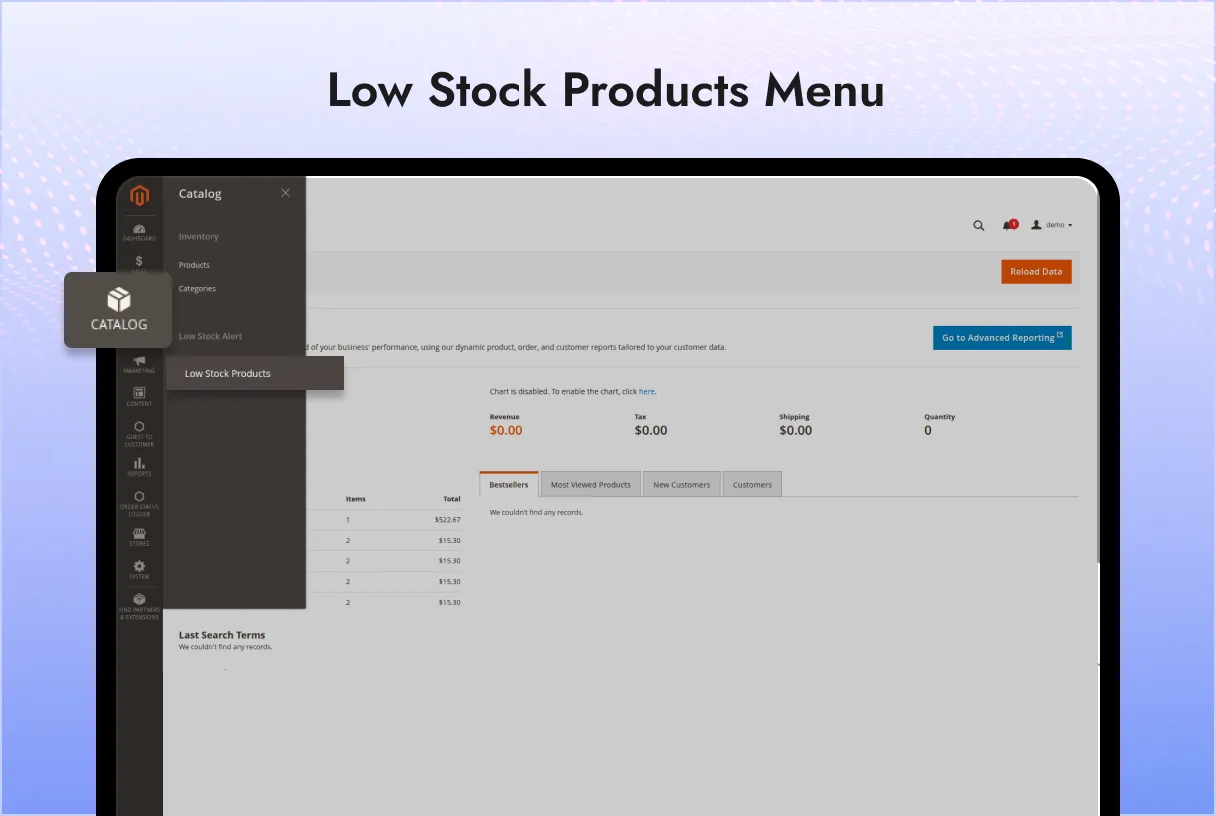
Additionally, a dedicated grid is available in the Admin Panel under:

PluginPartner → Low Stock Alert

The grid provides a complete overview of all low-stock products, including:

  • Product Name
  • SKU
  • Current Quantity

Configuration

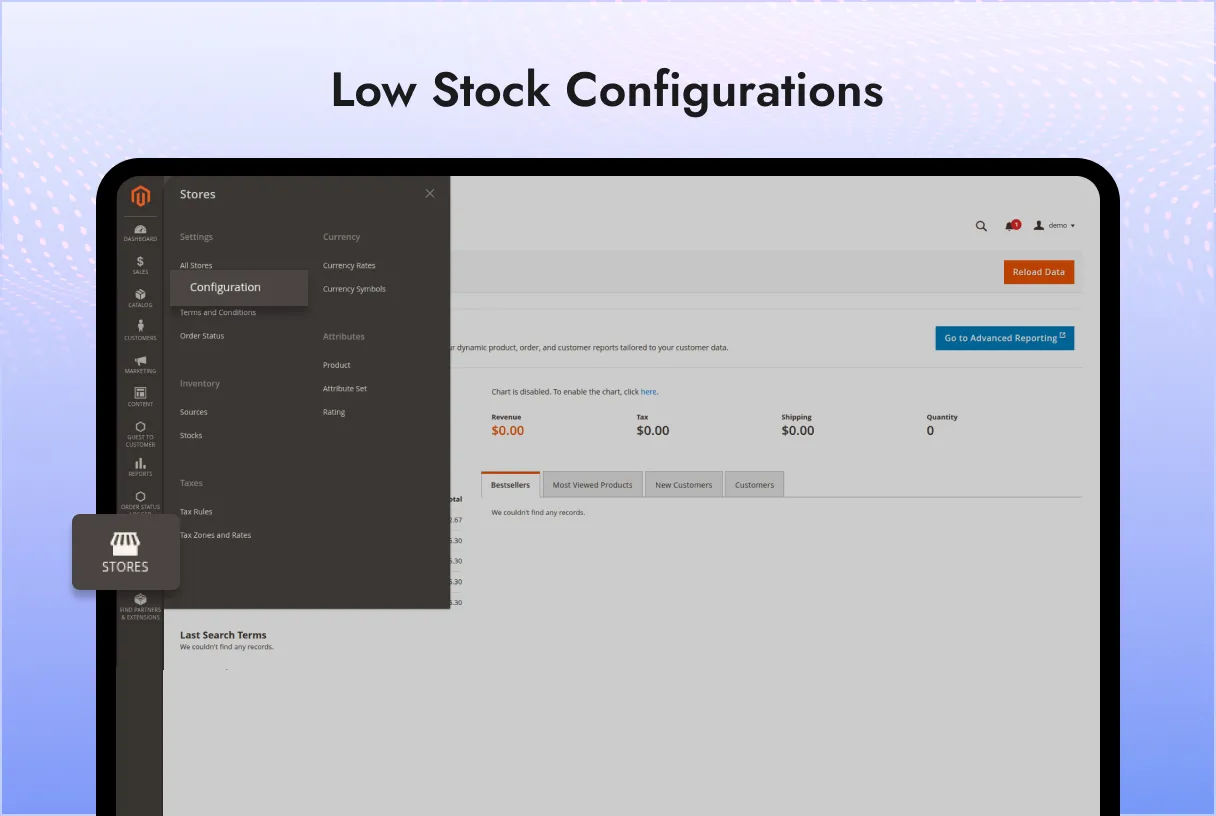
Navigate to:

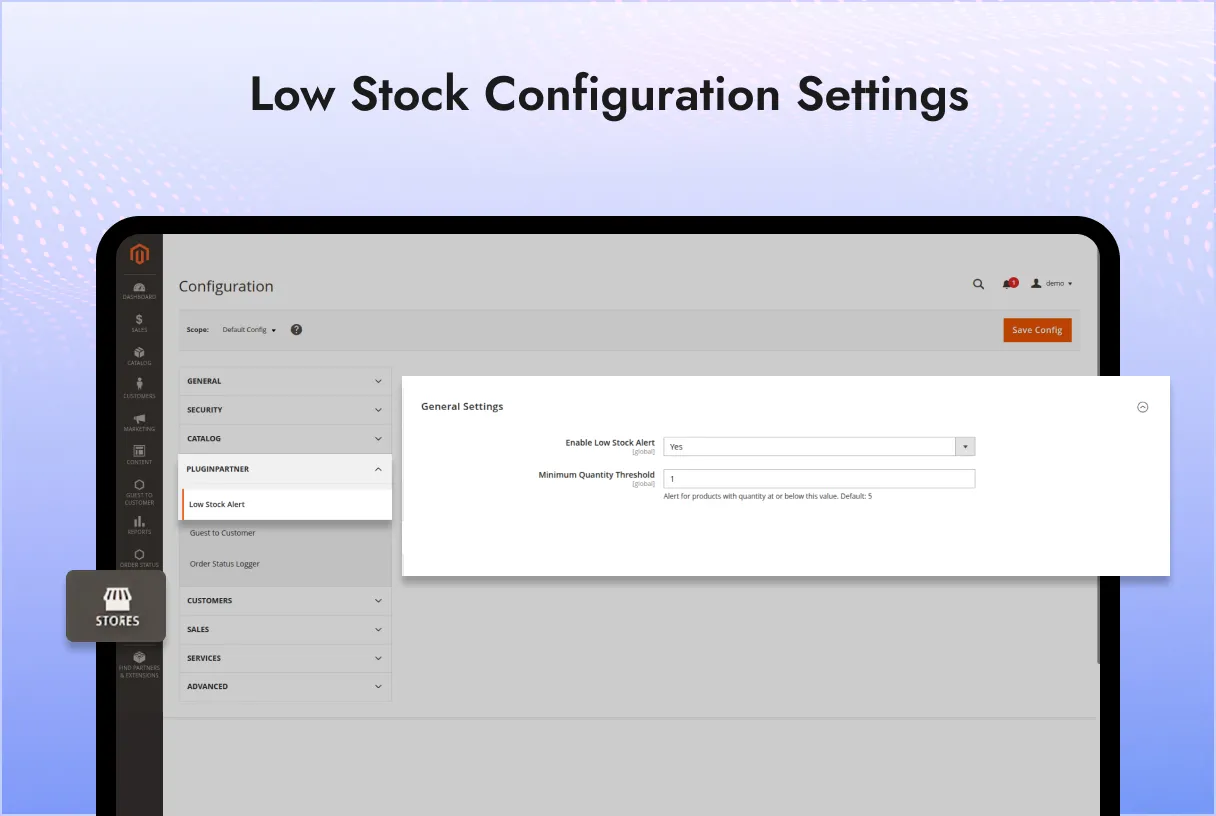
Stores → Configuration → PluginPartner → Low Stock Alert

Available settings:

ConfigurationDescriptionEnable Low Stock AlertEnables or disables the popup notification and admin grid functionality.Minimum Quantity ThresholdDefines the stock quantity at or below which products are considered low stock.

When the extension is enabled, the threshold field becomes available for configuration.

Compatibility

  • Adobe Commerce 2.4.x
  • Magento Open Source 2.4.x
  • PHP 8.1 or later

Use Cases

  • Inventory monitoring and replenishment workflows.
  • Warehouse and purchasing teams tracking low-stock items.
  • Store administrators requiring immediate visibility into inventory shortages.
  • Businesses looking to reduce stockout risks and improve product availability.

Support

For installation assistance, customization requests, or technical support, please contact PluginPartner support.

Add a review
Low Stock Alert Low Stock Alert
Rating*
0/5
* Rating is required
Your review
* Review is required
Name
* Name is required
Add photos or video to your review
4.6
Based on 5 reviews
5 star
60
60%
4 star
40
40%
3 star
0%
2 star
0%
1 star
0%
Anonymous
Anonymous
Verified ownerVerified owner
5/5
2 weeks ago
Anonymous
Anonymous
Verified ownerVerified owner
5/5
2 weeks ago
Anonymous
Anonymous
Verified ownerVerified owner
4/5
2 weeks ago

Frequently Asked Questions -

Low Stock Alert


1.0.0:

  • Compatible with Adobe Commerce (cloud) : 2.4
  • Compatible with Adobe Commerce (on-prem) : 2.4
  • Compatible with Magento Open Source : 2.4
  • Stability: Stable Build
  • Description:——————————– Version 1.0.0 ————————————–
    + Admin can enable or disable the Low Stock Alert module from configuration.
    + Admin can configure the minimum quantity threshold to define when a product is considered low in stock.
    + A popup notification is displayed to the admin upon login when one or more products are at or below the configured threshold.
    + A dedicated Low Stock Alert grid is available in the admin panel listing all low-stock products with their name, SKU, and current quantity.
    + Products are sorted by quantity in ascending order so the most critical items appear first.

Recommended For You

We analyze your business, customer journeys, and competitors to define a clear roadmap. Using AI insights, we recommend premium Magento 2 extensions and pricing packages that drive ROI and long-term success.

The PluginPartner Credit Memo module enhances Magento 2’s credit memo functionality...

The PluginPartner Subscription module enhances your Magento 2 store by allowing you...
The PluginPartner Video Player Extension empowers Magento 2 store owners to showcase...

Our TechScribe

We analyze your business, customer journeys, and competitors to define a clear roadmap. Using AI insights, we recommend premium Magento 2 extensions and pricing packages that drive ROI and long-term success.

From idea to implementation

Unlock Smarter E-Commerce

Magento continues to evolve with each release, bringing enhanced performance, stronger security, and improved features for merchants and developers. The release of Magento 2.4.8 introduces critical security patches, platform enhancements,...

Newsletter popups are the most effective way of generating leads on Magento 2. This guide...

Slow-loading product images are bad for SEO, UX, and conversion. Discover tried and tested solutions...