$70
The PluginPartner Create Order Api module enables Magento 2 stores to allow mobile or external applications to place orders for existing customers via a REST API endpoint. This is ideal for mobile apps, kiosks, or other third-party systems that need to place orders programmatically without accessing the Magento admin panel.
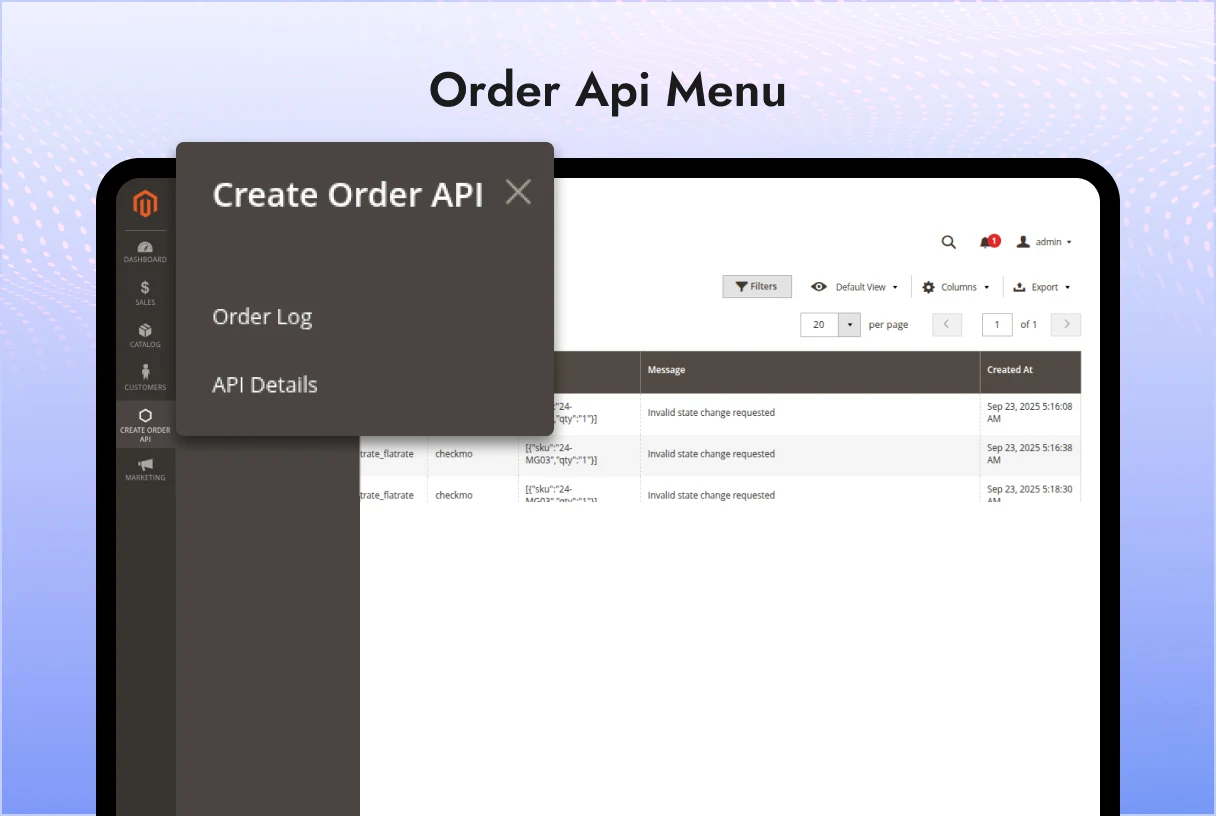
Additionally, the module provides a mobile menu in the Magento admin panel to view API logs and details, making it easy to monitor and troubleshoot orders created via the API.
30 Days Free Support
The PluginPartner Create Order Api module enables Magento 2 stores to allow mobile or external applications to place orders for existing customers via a REST API endpoint. This is ideal for mobile apps, kiosks, or other third-party systems that need to place orders programmatically without accessing the Magento admin panel.
Additionally, the module provides a mobile menu in the Magento admin panel to view API logs and details, making it easy to monitor and troubleshoot orders created via the API.
Place the module under the directory: app/code/PluginPartner/CreateOrderApi
Run the following Magento CLI commands: php bin/magento module:enable PluginPartner_CreateOrderApi php bin/magento setup:upgrade php bin/magento cache:flush
Confirm the module is enabled: php bin/magento module:status
Place a Quick Order
POST Endpoint:
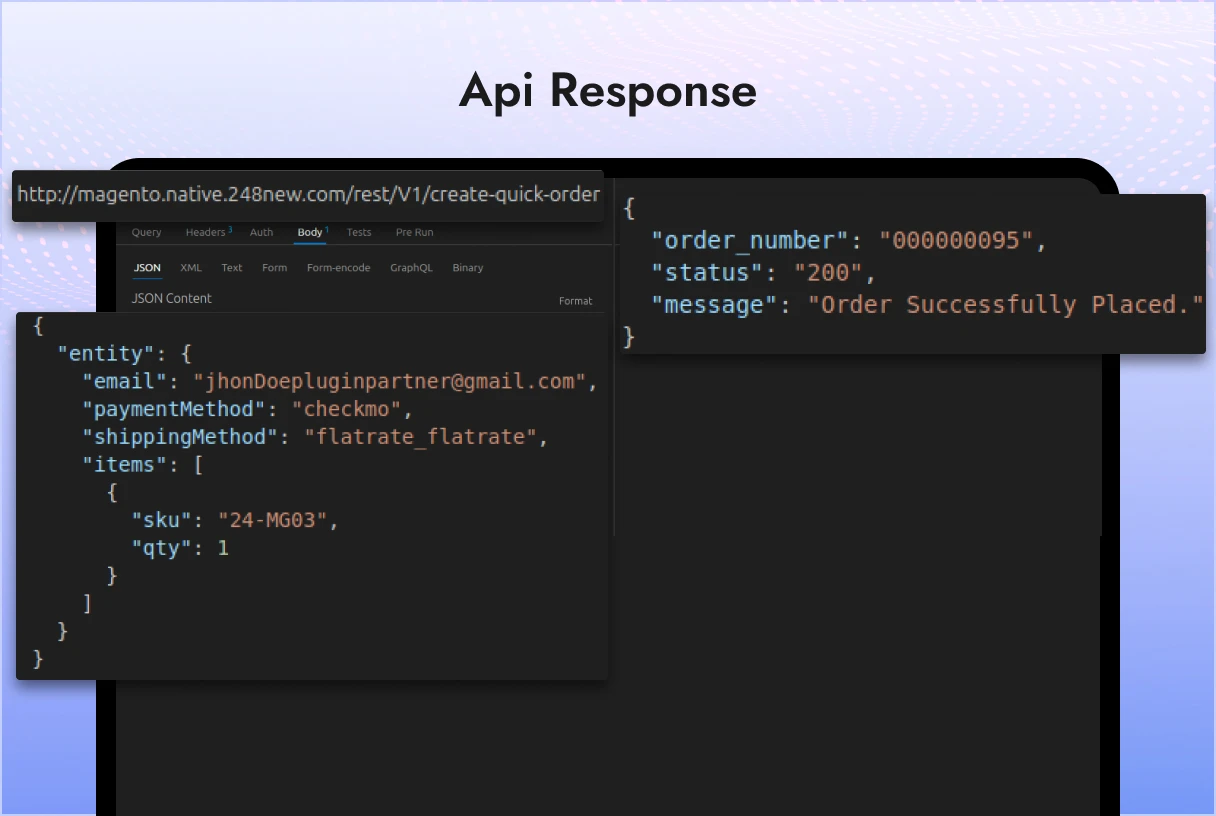
http://your-website-domain.com/rest/V1/create-quick-order
Body Params:
{ “entity”: { “email”: “jhonDoepluginpartner@gmail.com“, “paymentMethod”: “checkmo”, “shippingMethod”: “flatrate_flatrate”, “items”: [ { “sku”: “Some-SKU”, “qty”: 1 } ] } }
Notes:
email must belong to an existing customer in Magento. paymentMethod should match the active payment method code. shippingMethod should match the active shipping method code. items array contains SKU and quantity for each product in the order.
View API Orders
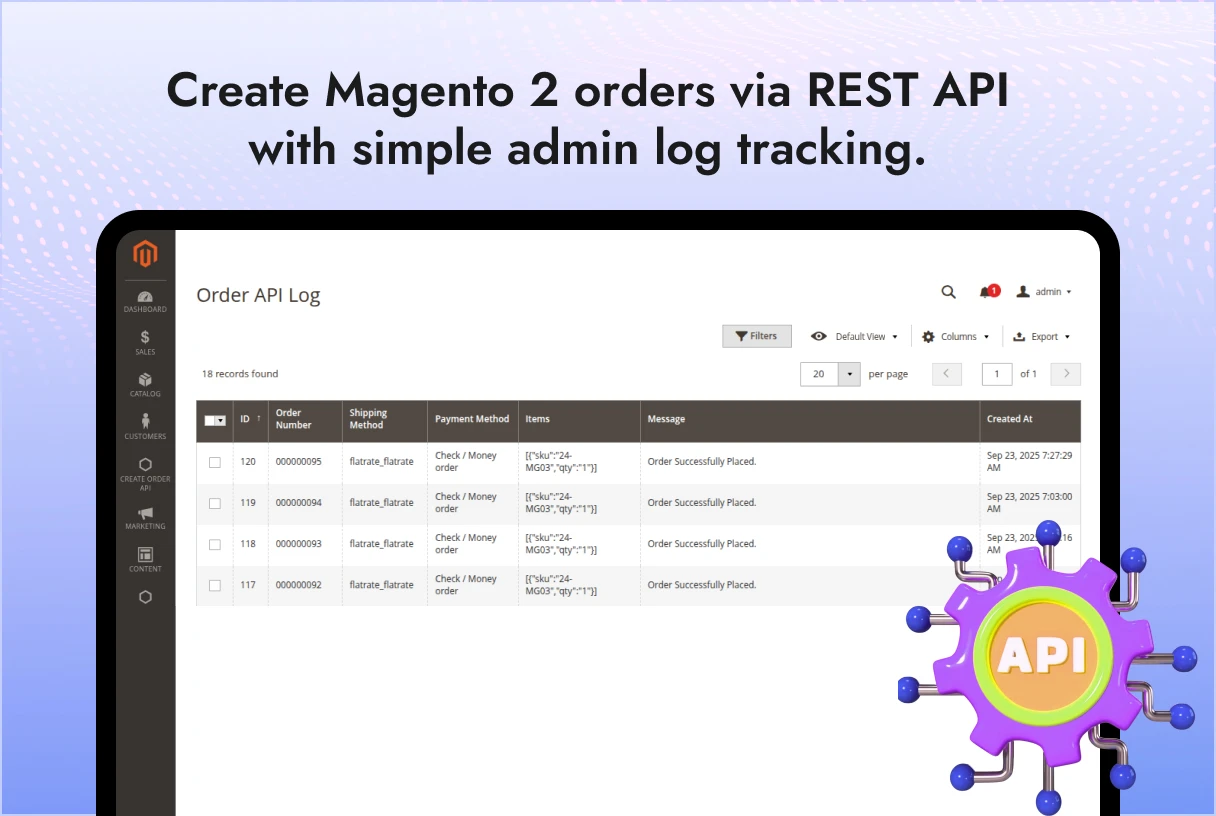
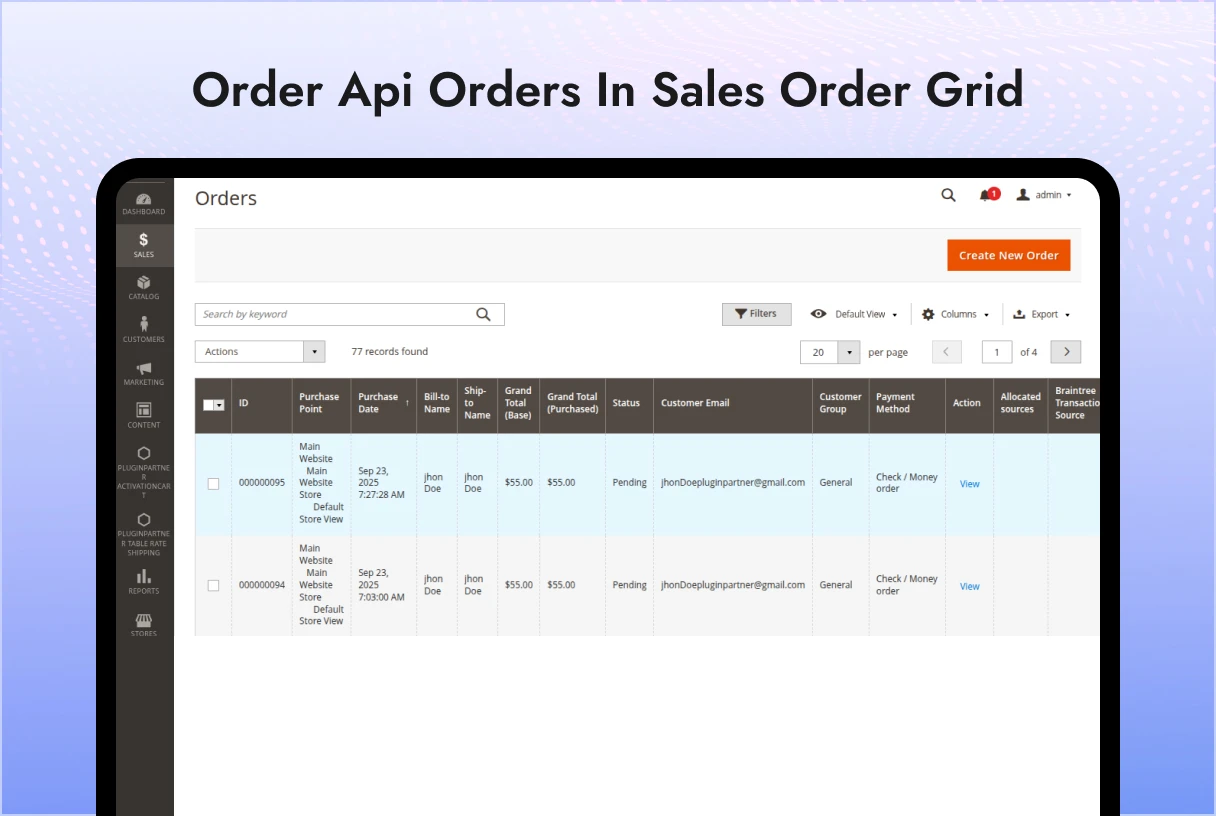
All orders created via the API can be viewed from the Magento admin panel: Admin Menu: Create Order API > Order API Logs This shows a detailed history of each API request including:
Customer email Order ID Items ordered Payment and shipping method used API request timestamp and response
API Details
Admins can view endpoint configuration and sample requests: Admin Menu: Create Order API > API Details This section provides guidance for integrating mobile or external applications with the module.
How it Works
Mobile app or external system sends a POST request to /rest/V1/create-quick-order with customer and order data. The module validates the customer, payment, and shipping information. A Magento order is created automatically, triggering standard order workflows. API request and response are logged for administrative review.
Magento 2.3.x, 2.4.x
Works with Magento’s standard checkout and order processing system.
If you face any issues or have feature requests, please contact PluginPartner Support.
This module is open for commercial or private use as per your Magento instance licensing. Redistribution or modification requires permission from PluginPartner.
 Create order API

 Verified ownerVerified ownerVerified owner
Frequently Asked Questions -
Create order API
Features
Bugs
——————————– Version 1.0.0 ————————————–
Created order using API for existing customers.
Added REST endpoint: /rest/V1/create-quick-order.
Support for specifying payment method, shipping method, and multiple items.
Added admin menu Create Order API with submenus:
Order API Logs – View all orders placed via API.
API Details – View endpoint usage and request format.
API request and response logging for monitoring and troubleshooting.
——————————– Version 1.0.0 ————————————–
Created order using API for existing customers.
Added REST endpoint: /rest/V1/create-quick-order.
Support for specifying payment method, shipping method, and multiple items.
Added admin menu Create Order API with submenus:
Order API Logs – View all orders placed via API.
API Details – View endpoint usage and request format.
API request and response logging for monitoring and troubleshooting.
We analyze your business, customer journeys, and competitors to define a clear roadmap. Using AI insights, we recommend premium Magento 2 extensions and pricing packages that drive ROI and long-term success.

$10

$200

$150
We analyze your business, customer journeys, and competitors to define a clear roadmap. Using AI insights, we recommend premium Magento 2 extensions and pricing packages that drive ROI and long-term success.
Unlock Smarter E-Commerce
 thakur.balkrishna
Magento continues to evolve with each release, bringing enhanced performance, stronger security, and improved features for merchants and developers. The release of Magento 2.4.8 introduces critical security patches, platform enhancements,...